For independent restaurant owners, cafés and coffee shops, bars and taprooms, pizzerias and diners, and restaurant consultants
Find where your restaurant is losing money
Busy nights, but not much left at the end of the month? Answer 12 quick questions to find out where the money is likely going, what it's costing you, and what to fix first.
About 45s left
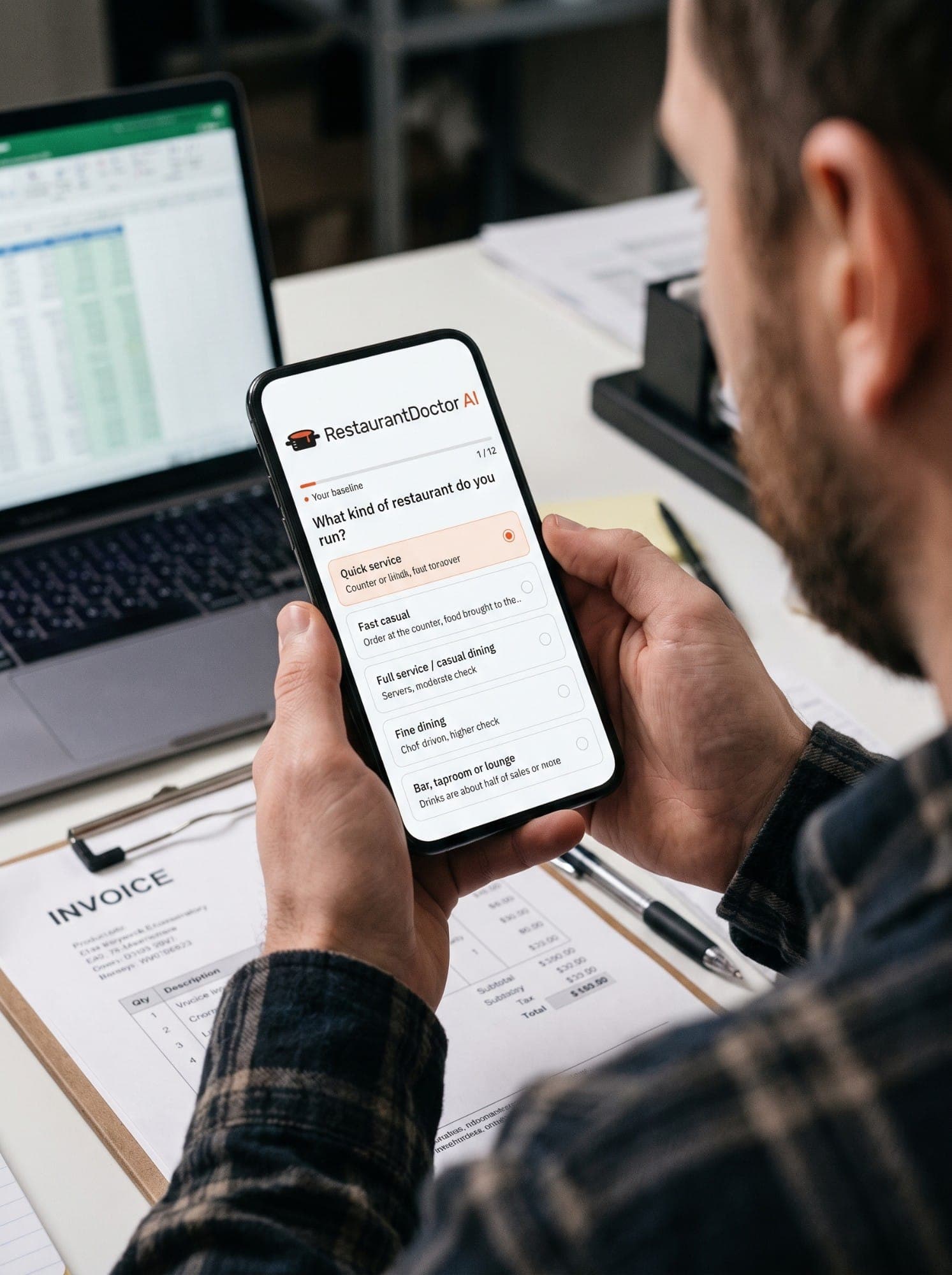
What kind of restaurant do you run?
12 questions · about 45 seconds · no sign-up
Free
Your grade and your biggest leak, before you pay anything
In dollars
Dollar estimates for every leak, so you know which ones are worth your time
No logins
No POS or bank logins: do it on your phone between shifts
$9.99 once
For the full report, or $19.99 with your real numbers. No account, no subscription.
Set to the US by default. Outside the US? Pick your country in the quiz.
How the check works
Your answers in. Dollars out.
Each answer becomes a leak with a price and a place in line, worked out by the same formulas as the report, so you can fix the costliest one first.
The example restaurant's answers, such as Labor flexing: everyone works their scheduled shift anyway; Recipe costing: only when the menu changes; Waste tracking: only when a big batch or case goes bad, come out of the check as priced leaks: Shifts don't flex with traffic: $720–$1,550 a month; Recipes only costed when the menu changes: $540–$1,150 a month; Only big losses get logged: $270–$720 a month; Bar shrink caught only after the fact: $200–$400 a month. Grade C, $1,730–$3,820 a month at risk.
Example restaurant, priced by the report's own formulas. Yours depend on your answers.
Why run the check
Busy every night. So where did the money go?
Usually it isn't one big thing. It's a few small costs that grow with every sale, and a P&L that shows them weeks later. If two or three of these sound like your week, the check is worth a minute.

Sound familiar?
- You don't know last week's prime cost.
- Supplier prices went up. Your menu prices didn't.
- Nobody writes down what gets thrown out.
- The bar pours by eye.
- A shift goes quiet and the full crew stays on.
- App orders sell at menu prices, and the app takes 15–30%.
Each of these is one of the 12 questions. Your report shows which ones are costing you, roughly how much a month, and which to fix first, with who does it and how long it takes.
Know where to start before you pay anything
Answer 12 questions and your grade and the biggest leak we find show up right away, free. Want the full picture? The report is a one-time $9.99, or $19.99 with your real numbers and a check-up. No account, no subscription, no marketing emails. Its figures are estimated ranges from your answers, not an audit of your books.
Get my free grade12 questions · about 45 seconds · no POS or bank logins
Inside your report
What's in every report
Both reports include all of this. The $19.99 report adds your real numbers and a check-up.
Pick one to see it in the example restaurant's report.
Sample report for the example restaurant.
Grade C · Leaking
Recoverable profit leak
$1,730–$3,820 / month
About $60–$125 a day
Grade A: Prime cost
Grade D: Kitchen & food cost
Grade C: Labor & overhead
Where the money is goingBiggest 3 of 4
Shifts don't flex with traffic
$720–$1,550 / mo
Recipes only costed when the menu changes
$540–$1,150 / mo
Only big losses get logged
$270–$720 / mo
Bar shrink caught only after the fact
$200–$400 / mo
Two reports
Two reports from the same 12 questions
Your grade and biggest leak are free. After you see them, pick the report that fits. Both are one-time payments.
Built from your 12 answers
$9.99Report and 30-day plan
- Dollar estimates for every leak
- The 72-hour plan, 30-day roadmap and team cards
- Calculators and printable worksheets
Pick this if you want the plan without looking up any numbers.
Built from your answers, plus last month's numbers if you add them
$19.99Report, your real numbers and a check-up
- Everything in the $9.99 report
- Your real costs against the targets, and what any gap costs
- Then vs now after your plan's first full month
Pick this if last month's sales and costs are handy when you pay, and you'd like a check-up on your progress.
Nothing to choose yet: you pick after your free result.
What the $19.99 report adds
Your real numbers
Right after paying, type in up to 7 figures from last month, like net sales and payroll. Your report then puts your real costs against the targets and sizes its estimates to your real sales. Every number is optional: skip them and it works from your answers.
Prime cost
Example restaurant
Estimated from its answers
Prime cost vs target
~65% · target ≤ 65%
From its numbers for the month
Prime cost vs target
66.4% · target ≤ 65%
About $1,200 a month over
Your check-up
One per order. We email you a button when it opens, so there's nothing to remember.
Your plan's first full month
Work your plan. Keep that month's sales summary, supplier invoices and payroll report.
The 1st of the month after
We email you a button.
Open for about two months
Add that month's numbers, about 5 minutes. You get a new report: your progress, then vs now, and your next plan.
How it compares
What each option costs, and what it needs from you
This report
$9.99 or $19.99, one time
12 multiple-choice questions. No files or logins. Usually on screen within a minute of paying. The $19.99 report adds your real numbers and a check-up.
A consultant's quick diagnostic
$197, one time
You upload your P&L and menu, plus POS sales data if you have it. 48‑hour turnaround.
A done-for-you systems audit
$995 flat fee
A review of your POS, accounting and payroll, mostly done remotely with access to your systems.
A free online calculator (ours included)
Free
You type in your costs and sales and get your prime cost, the healthy range for your type of restaurant and a one-word rating. It tells you how far over you are, not where the money goes. No action plan.
Examples from each provider's own website, checked September 2026. The paid services work from your real records. This report works from your answers, so its figures are estimated ranges, not a review of your books.

How we grade
What's behind the numbers
Every figure in your result and your report is worked out by fixed formulas, from what you tell us and published benchmarks. Here is what each one rests on.
Every estimate
Your 12 answers
Multiple-choice answers about how your restaurant runs, and your sales range, which sizes every dollar figure. Nothing to connect: no POS, bank or accounting logins.
Your targets
Targets for your type of restaurant
RestaurantDoctorAI's targets for prime cost, food and drink, labor, and rent and utilities, set for your type of restaurant: quick service, fast casual, full service, fine dining, or a bar or lounge.
For comparison
National Restaurant Association
Its 2025 Restaurant Operations Data Abstract: what US restaurants spent on food, labor and occupancy in 2024. Our guides hold our targets up against it.
App orders
The delivery apps' own plans
The big apps publish commission plans from 15% to 30% of each order, the range your report's delivery findings quote.
Rent and utilities
ENERGY STAR (US EPA)
Puts a restaurant's energy costs alone at about 3–5% of sales, which is why the rent question counts utilities too.
Grades and dollar ranges
Fixed formulas, not AI
Your grade, dollar ranges and prime cost come from fixed formulas in our code. In the paid report, Google's Gemini writes the explanations around them, never the numbers, and a second check makes sure its words match.

Who's behind it
People close to me run restaurants, and I built RestaurantDoctorAI to give independent owners a fast, plain-English first look, for free.
Felix S. Pavel, founder of RestaurantDoctorAI
Questions
Where is my restaurant losing money?
Usually in a few places that grow with every sale: recipes not re-costed after supplier price rises, kitchen waste nobody measures, free pours at the bar, shifts that don't flex with traffic, and delivery app orders at regular prices, where the apps take a 15–30% commission on each order. Rent and utilities above your type of restaurant's range (10% of sales for counter service, 12% for the rest) squeeze profit too. The 12 questions check each of these, put a dollar range on the leaks you find and flag rent if it's too high.
Who is RestaurantDoctorAI for?
Owners and managers of independent restaurants: quick service, fast casual, full service and casual dining, fine dining, and bars, taprooms or lounges. It's for whoever runs the place day to day and can see from the bank balance that something is off, but not where the money is going. You don't need a finance team, your books or any software: just 12 answers about how the restaurant runs.
Do I need my financial statements?
No. Answer from what you know about how the restaurant runs. The report tells you which numbers to start tracking and how to calculate them.
What's the difference between the $9.99 and $19.99 reports?
Both come from the same 12 questions and include the full report: grades, dollar estimates, the 72-hour plan, the 30-day roadmap, team cards and worksheets. The $19.99 report adds two things. After paying, you can type in up to 7 numbers from last month, like net sales and payroll, and your report works from them: your real costs against the targets, and estimates sized to your real sales. Every number is optional. It also includes one check-up: on the 1st of the month after your plan's first full month we email you a button, you add that month's numbers, and you get a new report with your progress and a new plan. It stays open for about two months. One check-up per order. No numbers to hand? Skip them and your report is written from your answers; the check-up is still included.
How is this different from hiring a consultant?
Two paid services we looked at in September 2026, a consultant's quick diagnostic and a systems audit, work from your real records: one asks you to upload your P&L and menu, the other reviews your POS, accounting and payroll with access to your systems. This report works from your 12 answers, so its figures are estimated ranges, not a review of your books. Use it to see where to look first, and where to point a consultant if you hire one later.
What happens to my answers?
They're used to build and deliver your report. We never ask for POS, bank or accounting logins, and we don't sell your answers. The one time a company other than our service providers gets any of your details is if you press a button to be introduced to a company that fixes your biggest problem, and then it gets only what the button says.
Why do you ask for my email?
The free check never asks for it. We ask only when you choose something that needs it. When you buy a report, Stripe's checkout page asks for your email, and we use it to deliver your report (it also shows on screen) and to send one email a few days later asking how your action plan went. If you ask to be introduced to a company that fixes your biggest leak, that company gets only what the button says. We don't send newsletters or marketing emails, apart from the online check's one reminder, which it tells you about, and tips if you tick a box asking for them. We don't sell your details to data brokers, and the AI that helps write your report never sees your email. The $19.99 report adds one more email, when its included check-up opens.
Does the site remember my restaurant?
Only if you ask it to, and only on your own device. Press Remember on this device under your free result or one of our calculators, and your answers and numbers are kept in your browser. Next time, our calculators and the report's number forms start with them, and the quiz welcomes you back with your last grade, so you can check again and see what changed. We never receive them, and you can forget them at any time.
How are the estimates calculated?
We compare your answers with RestaurantDoctorAI's 2026 targets for your type of restaurant, checked against the National Restaurant Association's figures, and scale the estimates to your sales range. They're ranges, not measurements of your books. The action plan comes from a playbook of standard restaurant fixes chosen for your answers.
Do you use AI?
Only for the wording. Your grade, dollar ranges and prime cost come from fixed formulas, and your action plan's steps are copied word for word from our playbook of standard restaurant fixes, with your own targets filled in. Google's Gemini, a pre-trained AI model, then explains those results in plain English. It never does the math, and our code double-checks the dollar figures in your action plan. It sees your answers, any numbers you add and your restaurant's name, never your email or payment details.
Does it work outside the US?
Yes. The quiz starts on the US; tap Change at the top of the quiz to pick your country. Your figures come out in euros, pounds, Swiss francs or Canadian, Australian or New Zealand dollars where that's your currency, and in US dollars anywhere else. Canada, the UK, Ireland, Australia and New Zealand also get local wording in the action plan. The percentage targets are set for US restaurants and run close to those five countries' norms; anywhere else, treat the report as a rough guide. You pay in US dollars, and your bank converts it.
Is this financial or tax advice?
No. It's an operational benchmark to help you decide where to look first. It's not a CPA audit, tax advice or legal counsel.
Do I need an account?
No login, no subscription. You pay once and the report is yours: on screen, usually within a minute, and by email. The check-up comes as a button in your email, so it needs no login either.
Guides for restaurant owners
- Why is my restaurant busy but not making money?
- What is prime cost in a restaurant? Formula and targets
- Food cost percentage: formula and targets by restaurant type
- Restaurant labor cost percentage: what's good + formula
- Sales per labor hour (SPLH): formula and your target
- Tipped minimum wage by state: 2026 rates and 2027 changes
- Bar pour cost: how to calculate and fix it
- Delivery app commission: what it takes and how to cover it
- How much rent can a restaurant afford?
- Restaurant formulas: food cost, labor, prime cost and more
- Do restaurants have to list calories on the menu?
- How to donate your restaurant's surplus food safely